Mascot animation GIF from a short description
You can make a mascot animation GIF here in a few seconds. Describe your mascot, pick one of four drafts, and the pack returns a looping GIF where the character bounces, waves and blinks. The free GIF is 320 px with a watermark. A clean 512 px GIF, plus an animated WebP, costs 1 credit.
By The Wobblemark team (Product and testing). Last updated .
How to make a mascot animation GIF, step by step
First, type a short description, such as a green frog for a garden store.
Then pick a style. Sticker adds a white die cut border, which helps a GIF look clean on any background.
Next, click Draw my mascot and choose the draft you like best.
After that, click Make the mascot pack and wait about a second.
Finally, save the GIF and drop it into your email, chat or web page.
Drafts are always free, and the first 3 full packs each day are free too. After that, see the pricing page for packs and plans, or read how we test the tool.
Mascot animation GIF tested with a real description
We typed this page's example into the studio and made the paid pack, with no edits. So the mascot, the sheet and the numbers below are exactly what the tool returns, and you can repeat the run yourself.

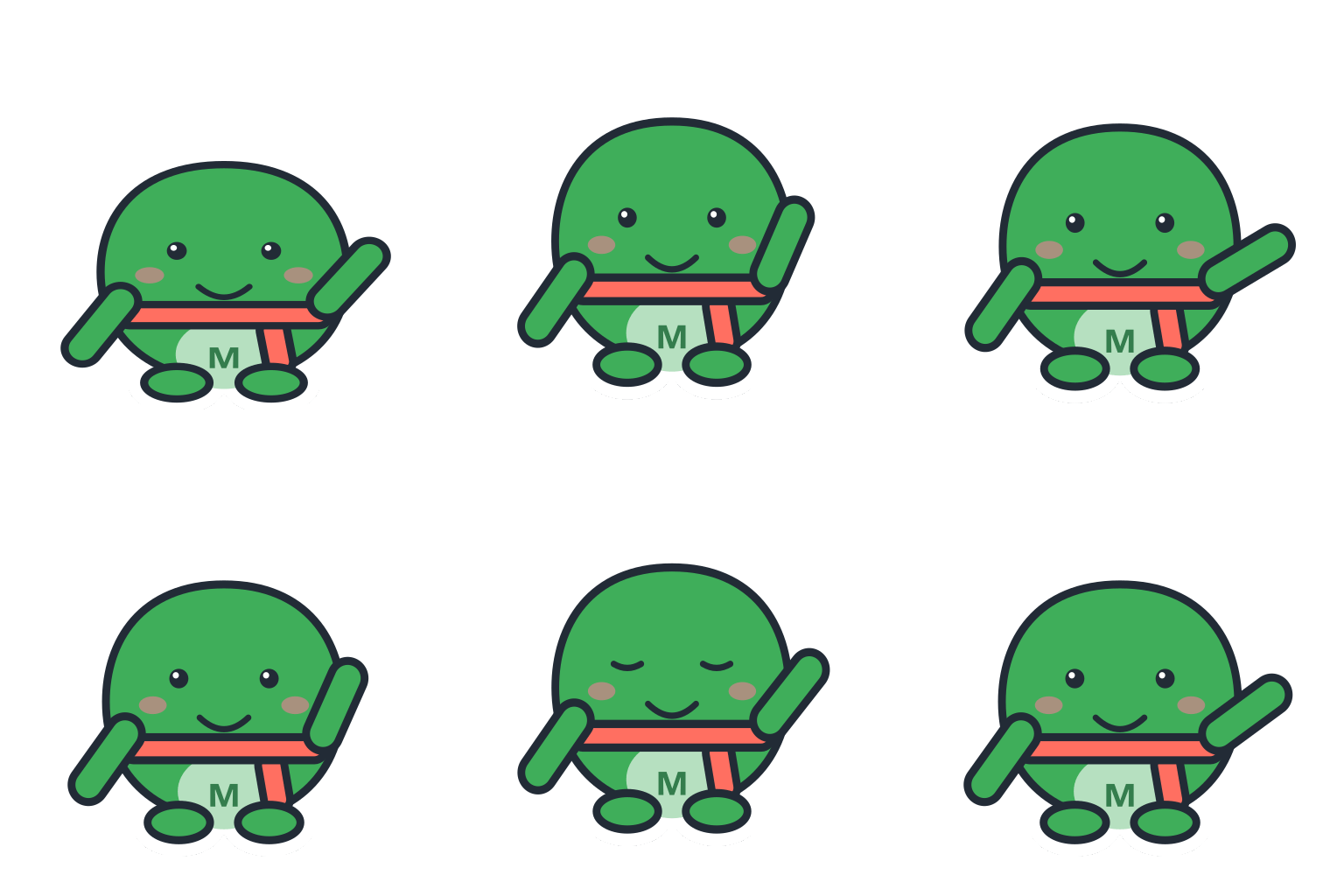
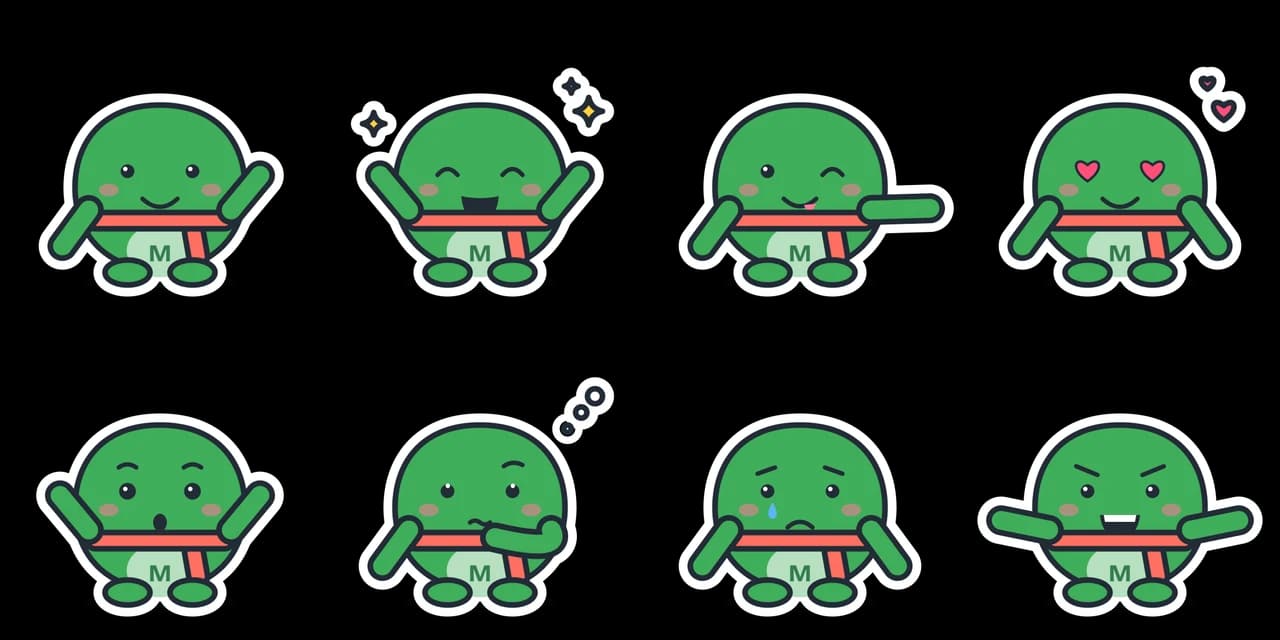
- Test input
- "a green frog for a garden store", brand Mossbell, sticker style
- Result
- Mascot pack (paid, no watermark)
- Character
- frog + sprout
- Mascot PNG
- 2048 x 2048 px, 137 KB
- Mascot SVG
- 3 KB
- Expressions
- 8 (sheet + one SVG each)
- Animation
- 512 px GIF 189 KB, WebP 236 KB
- Name ideas
- Fizz the Frog, Mosso, Sir Mossbell
- Time to make
- 1.1 s for the whole pack
How we test: every guide runs its own example through the same engine, and we check each pack by hand. More on the about page.
Why a mascot animation GIF still works everywhere
GIF is an old format, and that is exactly its strength. Email clients, chat apps, help desks and almost every website builder play an animated GIF without any extra code. So a mascot animation GIF is the safe choice when you cannot control where the file will show up.
For example, a newsletter that greets readers with a waving mascot needs a GIF, because many email apps do not show newer formats.
Our loop is short on purpose. It has 16 frames at 70 ms each, which is about 1.1 seconds. Then it repeats, so it reads as a friendly hello, not a clip people need to watch.
GIF limits from the W3C spec, and how we handle them
The GIF89a specification from the W3C sets two limits that matter for a mascot. First, each frame can use at most 256 colors from its color table. Second, transparency is a single color index, so every pixel is either fully see through or fully solid.
That second rule is the tricky one. A soft, anti aliased edge has pixels that are half transparent, and a GIF cannot store them. As a result, the edge can show a faint halo on a dark background.
That is why the Sticker style helps so much in a GIF. The soft edge sits on the white die cut border, not on your page, so the halo never shows. Flat cartoon colors also fit easily inside 256 colors, so the mascot does not get grainy.
Mascot animation GIF sizes: free and paid
The free pack includes a 320 px GIF with a watermark, and you can make 3 free packs a day without an account. The paid pack, at 1 credit, gives you a clean 512 px GIF and a 512 px animated WebP.
File size is usually a few hundred KB. In our tests across 15 descriptions and all three styles, the GIF loops came out at about 100 to 380 KB. Flat style gave the smallest files, while Soft shading at 512 px gave the largest.
When animated WebP is the better file
Google's WebP FAQ says animated WebP supports full alpha transparency and, in its tests, needs fewer bytes than GIF. Because of that full alpha, the edges of the mascot blend into any background, light or dark.
However, our own numbers were more mixed. With Soft shading, the WebP was clearly smaller than the GIF. With flat sticker colors, the WebP was often a little larger, because it keeps all the fine edge detail a GIF throws away.
In practice, use the WebP on your own website, where modern browsers support it. Then keep the GIF for email, chat and any place that rejects WebP. Both files come in the same paid pack, so you do not have to choose up front.
Tips for using the GIF on a site, in email and in chat
On a website, set a fixed width and height on the image so the page does not jump while it loads. In addition, add alt text such as a waving fox mascot, so screen readers describe it.
In email, place the GIF near the top, since some clients show only the first frame. Our first frame already shows the full character, so it still looks fine as a still image.
A five second mascot animation GIF from the AI studio
The vector loop lasts about a second. For a longer move, the AI studio turns any mascot image into an animation of about five seconds. It costs 10 credits, needs an account and takes 2 to 5 minutes in the background.
You pick a motion preset, such as waves hello, happy jump, nods yes or short dance, or you type your own. Then the studio removes the background, so the GIF is transparent. In addition, you get a transparent WebM, a Lottie file and an MP4 on a flat key color.
The studio can start from your vector draft, a text description or an uploaded photo, in one of 9 styles such as Cartoon, Pixel art or Chibi. However, AI results vary between runs, so check the clip before you post it.
What the mascot animation GIF does not do
Neither GIF has sound, speech or lip sync. The free vector GIF always shows the same wave loop, and an AI clip is a short loop of about five seconds, not a long video.
Also, the vector character is a clean cartoon built by the Wobblemark engine, and it will not trace a logo you upload. If you need a talking mascot or a long animated story, an animator is the better route.
Mascot animation GIF formats and sizes
| Item | Details |
|---|---|
| Free GIF | 320 px, watermark, 3 packs a day, no account |
| Paid GIF | 512 px, clean, commercial use, 1 credit |
| Paid WebP | 512 px animated WebP with full alpha, same credit |
| Loop | 16 frames at 70 ms, about 1.1 seconds, repeats forever |
| GIF colors | Up to 256 per frame (W3C GIF89a) |
| GIF transparency | On or off per pixel, no soft edges |
| Measured file size | About 100 to 380 KB in our tests |
| Speed | A free pack in about 0.9 s, a paid pack in about 1.3 s |
| AI studio GIF | About 5 seconds, transparent, 10 credits, made in 2 to 5 minutes |
Mascot animation GIF FAQ
How do I make a mascot GIF for free?
Type a description, pick a draft and click Make the mascot pack. The free pack includes a 320 px GIF with a watermark. You get 3 free packs a day, with no account.
What size is the mascot GIF?
The free GIF is 320 px and the paid GIF is 512 px, both square. In our tests, the files were about 100 to 380 KB.
Does the GIF have a transparent background?
Yes, but GIF transparency is on or off per pixel. So use the Sticker style, where the white border hides the edge, or place the GIF on a light background.
Can I get a longer mascot animation GIF?
Yes. The AI studio makes a clip of about five seconds for 10 credits, as a transparent GIF, WebM and Lottie file. The free vector loop stays at about 1.1 seconds.
Why does my GIF look jagged on a dark background?
GIF cannot store half transparent pixels, so soft edges turn hard. Switch to the Sticker style, or use the animated WebP from the paid pack, which keeps full alpha.
Will the GIF play in Gmail and Outlook?
Most email apps play animated GIFs. Some older desktop clients show only the first frame. Our first frame shows the whole mascot, so it still works as a still image.
Can I use the mascot GIF in Slack or Discord?
Yes. Upload it like any image. The paid 512 px GIF has no watermark and comes with commercial use.
Is GIF or WebP better for my website?
WebP, in most cases, because it keeps soft edges. Keep the GIF for email and older tools that do not accept WebP.